$1,039.00 6

Cart

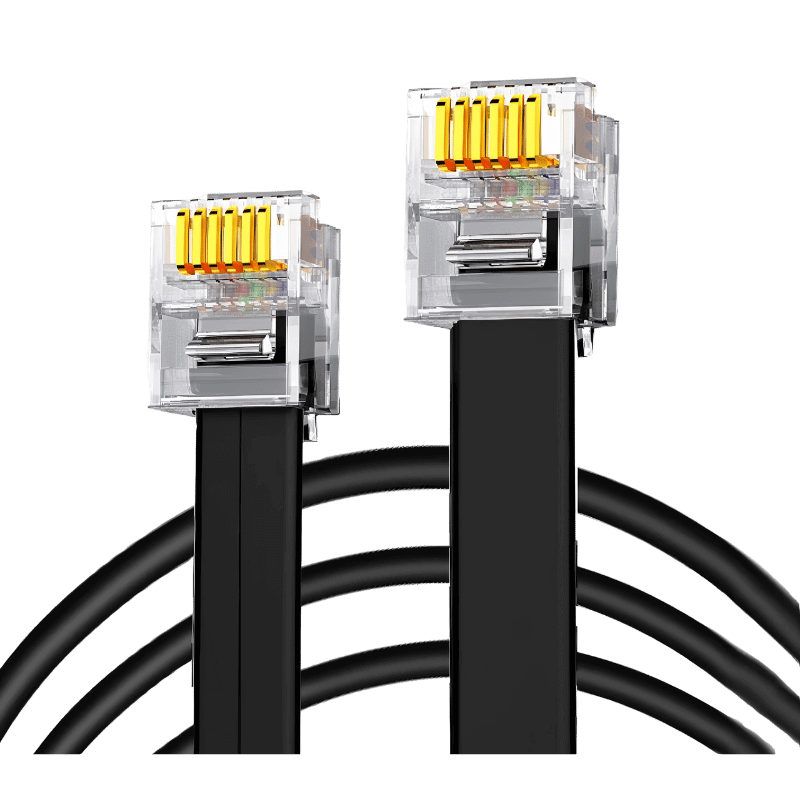
SimNet – RJ12 connection cable for Thrustmaster Wheelbase

$11.00

Description

SimNet – RJ12 connection cable for Thrustmaster Wheelbase

SimNet – RJ12 connection cable for Thrustmaster Wheelbase

SimNet ‘s RJ12 cable can be connected to a Thrustmaster base to enable your SimNet SP Pro pedals to be used directly on your Thrustmaster base.


Technical specifications

  • Type: RJ12 cable (SimNet ↔ Thrustmaster connection)
  • Length: 2 m
  • Compatibility: SimNet SP Pro pedals & Thrustmaster bases compatible
  • Construction: shielded copper cable, reinforced RJ12 connectors (6-pin)
  • Installation: plug-and-play – no software required
  • Console compatibility (PS4, PS5, Xbox): depends on Thrustmaster base model

How to configure your SimNet console pedals

  1. Connect your SimNet SP Pro pedals to your PC via the USB cable.
  2. Open Sim Connect Manager and go to: Pedals → Miscellaneous → Analog output settings.
  3. Activate all channels(clutch, brake, gas pedal).
  4. Set output range to 0.5V – 2.9V (non-inverted).
  5. Save settings – your Thrustmaster base will recognize pedals as native equipment.
  6. Disconnect from the PC and connect the pedals to the Thrustmaster base via the RJ12 cable.

Watch the video demonstration: Using SimNet SP Pro pedals with Thrustmaster on PS5/PC
https://www.youtube.com/watch?v=9tqrGpIm6sE

You may also like

In business for over 10 years, NOX Gaming is the Canadian reference for quality Gaming PC builds. Since 2024, its Sim Racing offering is recognized throughout the country.

CONTACT US

+1 (514) 397-1179 Contact an expert
2480 Rue Charbonneau, Trois-Rivières, QC

By appointment only.

All Prices Shown In $CAD

© Copyright 2026 NOX Gaming
Privacy Policy Terms of Service
})